
Migrating to .NET Core APIs
Once legacy business logic is safely extracted, the next major step is exposing that logic through modern, scalable APIs.
This is where the system truly becomes future‑ready, cloud‑ready, and integration‑ready.
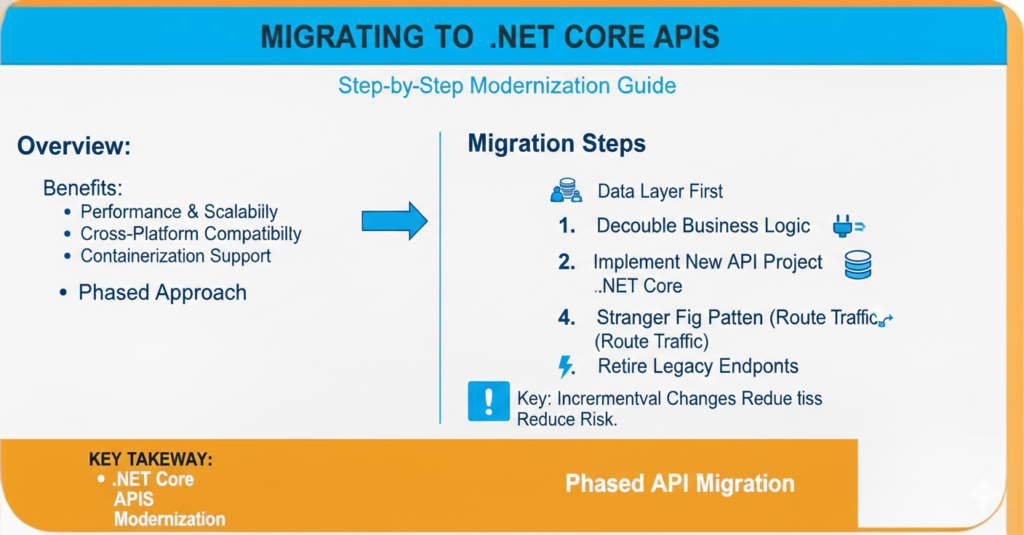
Why Move to .NET Core APIs?
Legacy backends often suffer from:
Tight UI coupling
Limited scalability
Difficult deployments
Version conflicts
Poor performance under load
.NET Core APIs solve these by offering:
Cross‑platform support
High performance
Lightweight architecture
Cloud‑native compatibility
Container & microservice readiness
What Changes During Migration?
You are not just upgrading technology — you are transforming architecture.
| Legacy Backend | Modern API Backend |
|---|---|
| WebForms / ASP Classic | REST APIs |
| Server‑bound | Cloud‑ready |
| Monolithic logic | Modular services |
| UI‑dependent | UI‑agnostic |
| Hard deployments | CI/CD friendly |
Migration Strategy (Safe & Practical)
1. Start With a Parallel API Layer
Do not shut down the legacy system immediately.
Create APIs that run alongside the existing application.
This allows:
Gradual rollout
Safe testing
Reduced business risk
2. Define Clear API Boundaries
Group APIs by business domains, not database tables.
Bad Example:/getCustomerTableRow
Good Example:/customers/{id}/profile
Think business language, not technical language.
3. Use RESTful Standards
Adopt predictable conventions:
GET→ Fetch dataPOST→ CreatePUT/PATCH→ UpdateDELETE→ Remove
Consistency improves developer adoption and reduces integration errors.
4. Introduce DTOs (Data Transfer Objects)
Never expose database entities directly.
DTO benefits:
Security control
Version flexibility
Smaller payloads
Clear contracts
5. Add Versioning Early
Even if v1 is simple, plan for v2.
Example:
/api/v1/orders
/api/v2/orders
Versioning prevents breaking existing consumers later.
6. Implement Authentication & Authorization
Use:
JWT Tokens
OAuth2 / OpenID Connect
Role‑based access control
Security should be built‑in, not patched later.
7. Logging & Monitoring From Day One
Modern APIs must be observable.
Track:
Request time
Errors
Usage patterns
Failed authentication
Performance bottlenecks
Tools: Application Insights, ELK Stack, Prometheus, etc.
Performance Best Practices
Asynchronous programming (
async/await)Response caching
Pagination for large datasets
Compression
Connection pooling
APIs should be fast, predictable, and lightweight.
Common Migration Mistakes
Copy‑pasting legacy code into controllers
Exposing database schema directly
No versioning strategy
Ignoring security
Mixing UI logic in APIs
Big‑bang replacement instead of phased rollout
Ideal Modern Stack Example
.NET 8 / .NET Core
Clean Architecture
Entity Framework Core / Dapper
Swagger / OpenAPI Documentation
Docker Containers
CI/CD Pipelines
Success Indicators
Migration is successful when:
Multiple frontends can consume the same APIs
Deployment becomes independent of UI
Performance improves under load
Integrations become easier
New features ship faster
Developers onboard quickly
Final Thought
Moving to .NET Core APIs is the gateway to true modernization.
It unlocks scalability, integrations, and cloud adoption — turning a legacy backend into a platform, not just an application.
This step transforms your system from “working” to “evolving.”